
MESHLINK News

Oct 08,2026

Meshlink Introduces LANforge WiFi Test Processor for Web-Based Wi-Fi Test Automation

Introducing LANforge WiFi Test Processor

Meshlink introduces LANforge WiFi Test Processor — Web Management Console, a browser-based interface developed by Meshlink to simplify test planning, execution monitoring, and results review on compatible Candela LANforge systems.

Candela LANforge offers extensive testing capabilities and configuration options. LANforge WiFi Test Processor brings common workflows into a visual workspace, helping engineers organize multi-band and multi-station tests, reuse configurations, and track progress from a browser.
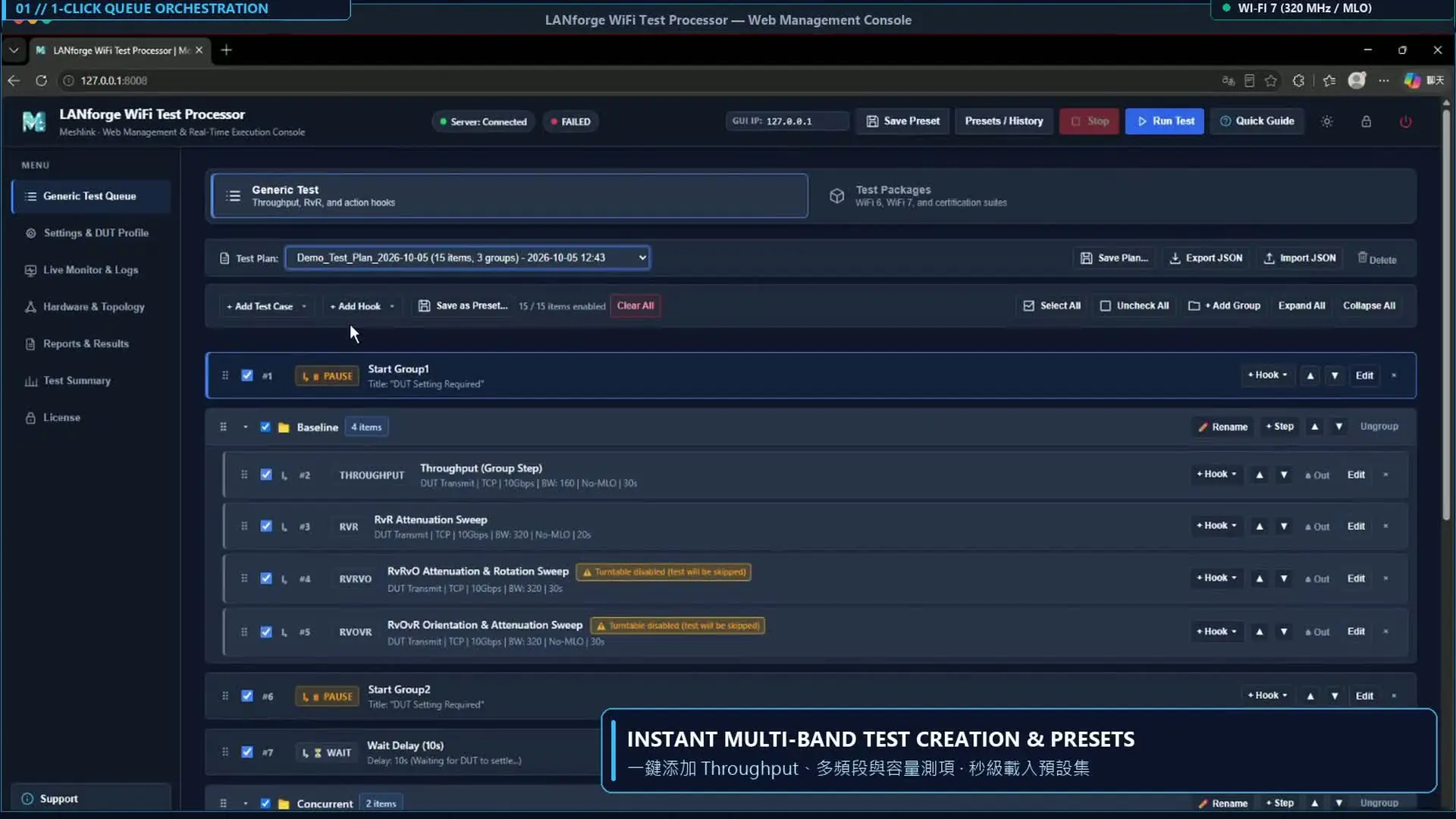
1. Faster Test Setup with Queues and Presets

Build test queues using templates for throughput, multi-band capacity, and multi-station scenarios, including Wi-Fi 7 configurations such as 320 MHz channels and MLO where supported by the test system and device under test.

Saved presets reduce repetitive configuration work and make it easier to repeat tests under consistent conditions. Pause and wait steps, together with configured external script actions, allow engineers to coordinate test execution with DUT setup and other laboratory procedures.


Meshlink Introduces LANforge WiFi Test Processor for Web-Based Wi-Fi Test Automation

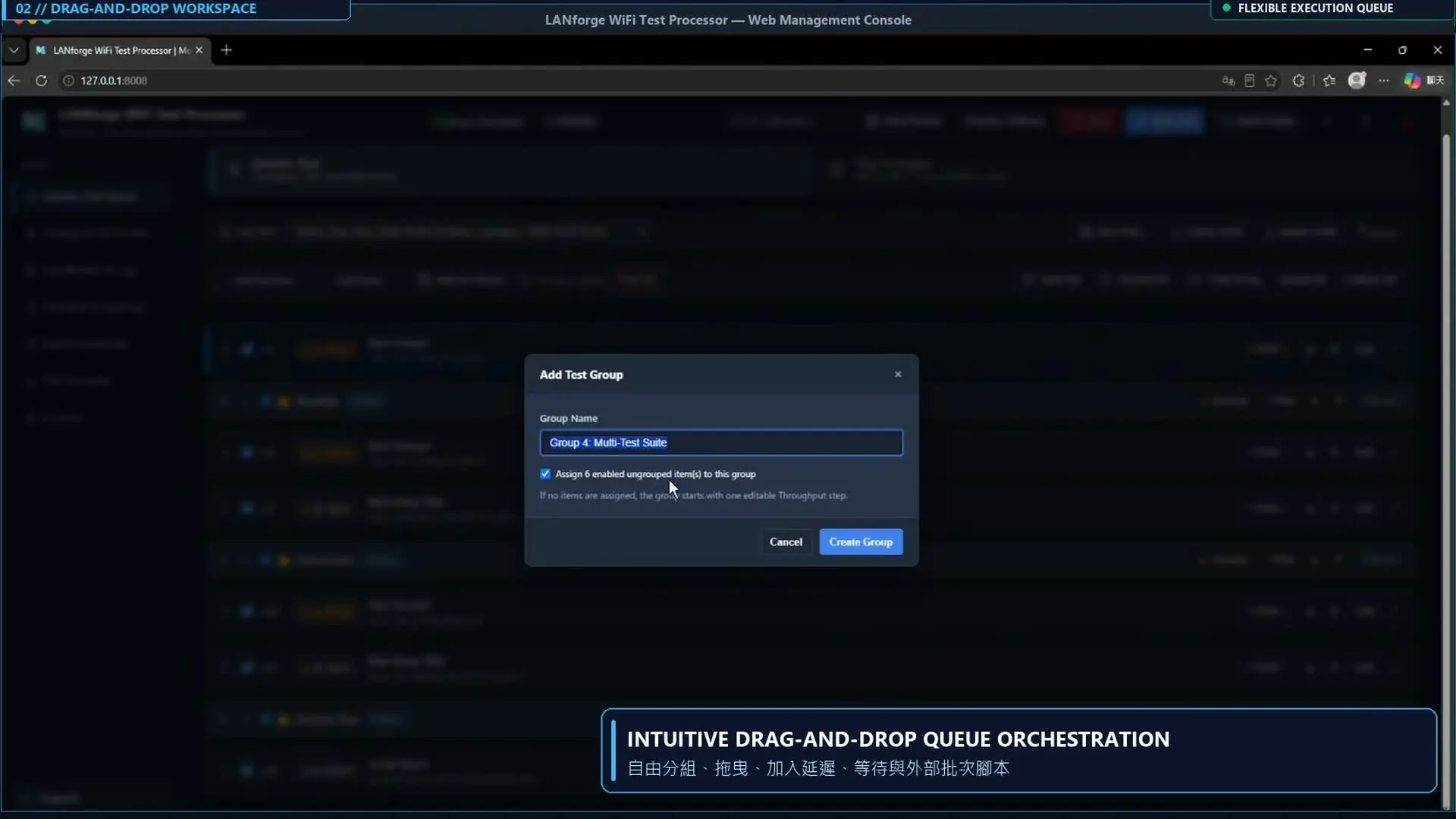
2. Intuitive Drag-and-Drop Test Planning

Arrange test items by dragging them into the required order and organizing them into groups.

The visual queue makes longer workflows easier to review and adjust, whether preparing attenuation sweeps, repeated performance measurements, or extended stability tests. Engineers can modify an existing plan instead of rebuilding the workflow for each new test condition.

Meshlink Introduces LANforge WiFi Test Processor for Web-Based Wi-Fi Test Automation

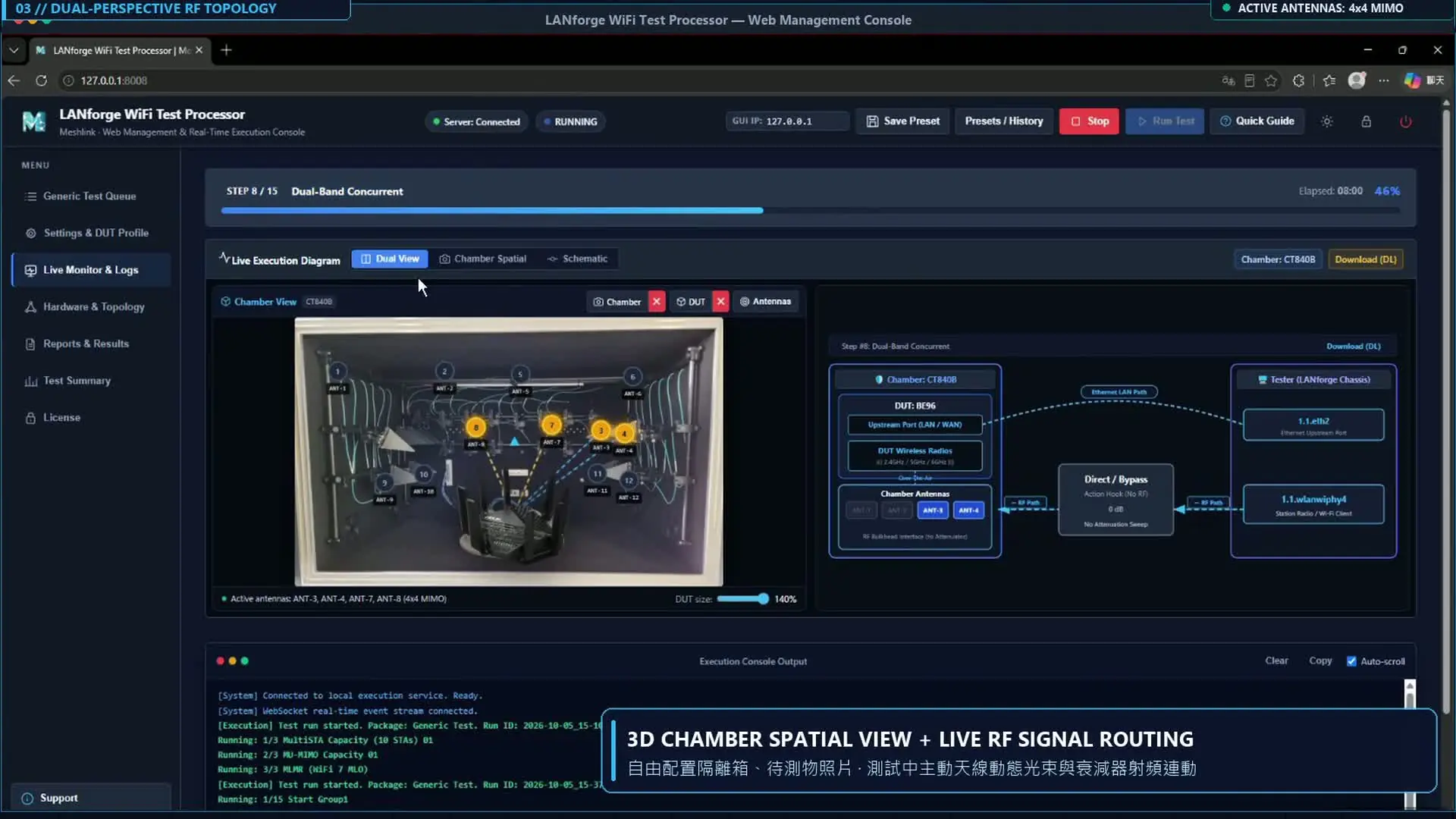
3. Visual Mapping of the Test Environment

Connect the test workflow to the physical laboratory setup using chamber and DUT images.

The monitoring view displays active antennas and configured RF paths, helping engineers relate the current test to the chamber layout and connected equipment. This provides useful context when checking test configurations and investigating unexpected results.

These visualizations represent the configured test environment; they are not measurements of antenna radiation patterns or RF field strength.

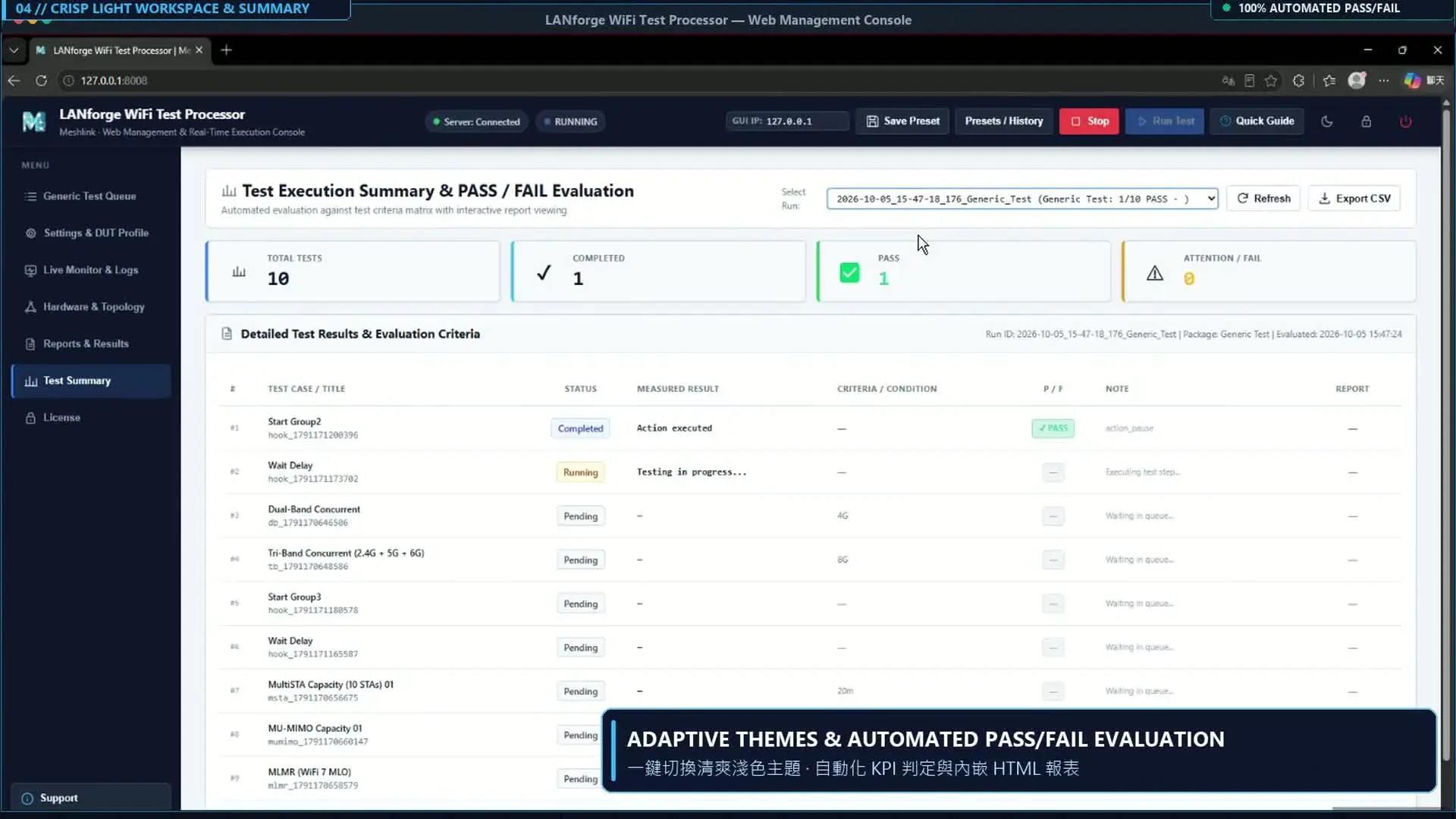
4. Results Review and Configurable Evaluation

Review completed runs in a consolidated test summary and open detailed reports for further analysis.

For supported test items with configured evaluation criteria, the system can present KPI-based Pass/Fail results. Observation-based tests, including the QoS traffic-allocation example, present measurements without an automatic QoS priority verdict.

Dark and light themes allow users to choose a display style suited to their working environment.

Meshlink Introduces LANforge WiFi Test Processor for Web-Based Wi-Fi Test Automation

Bring Automation to Your Wi-Fi Test Workflow

LANforge WiFi Test Processor is designed to work with compatible Candela LANforge systems. Available test capabilities depend on the hardware, software version, licenses, and DUT configuration.

Meshlink also provides customized test workflows to address specific validation requirements. For a demonstration, trial, or compatibility assessment, please contact Meshlink.

↑